
Operations / PLM
Staff Portal
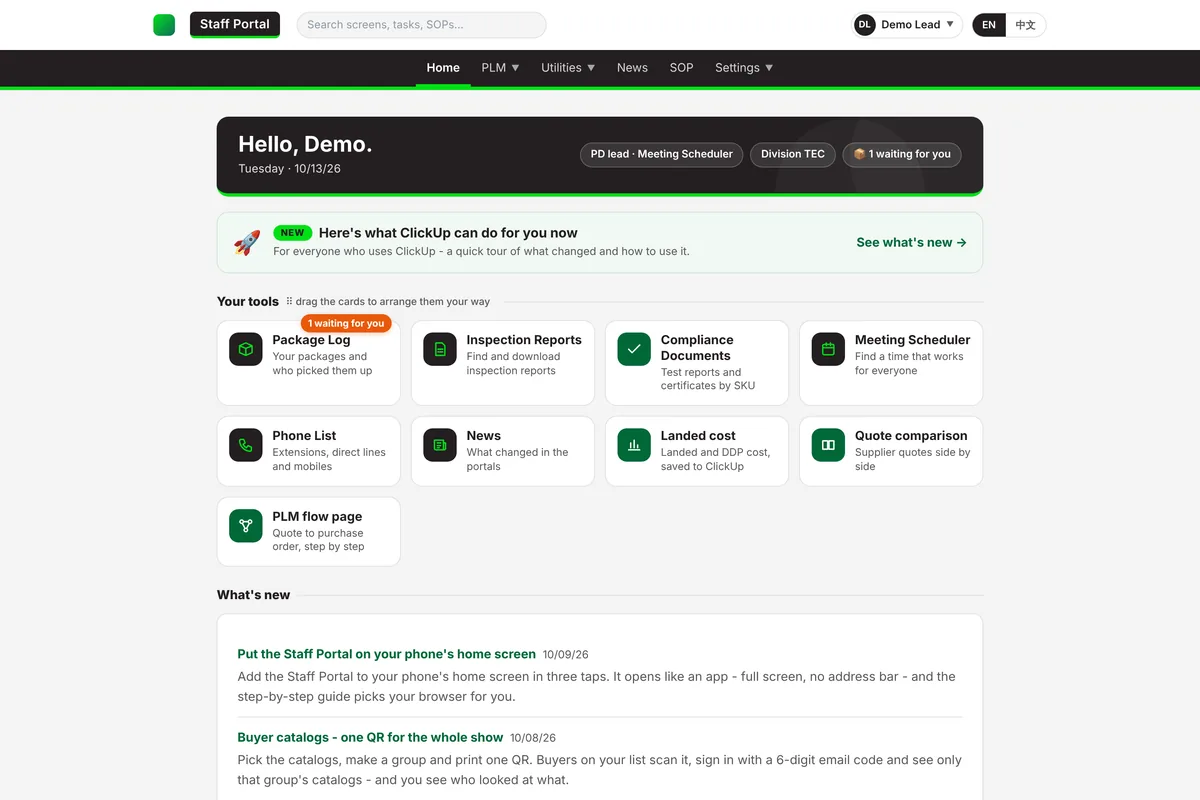
An internal portal where development, quality and sales staff see cost calculations, catalogs and inbound forecasts in one place — each according to their permissions.
Challenge
Development cost calculations lived in personal spreadsheets, buyer catalogs in shared folders and inbound schedules in separate reports. Who could see what differed from tool to tool.
What I built
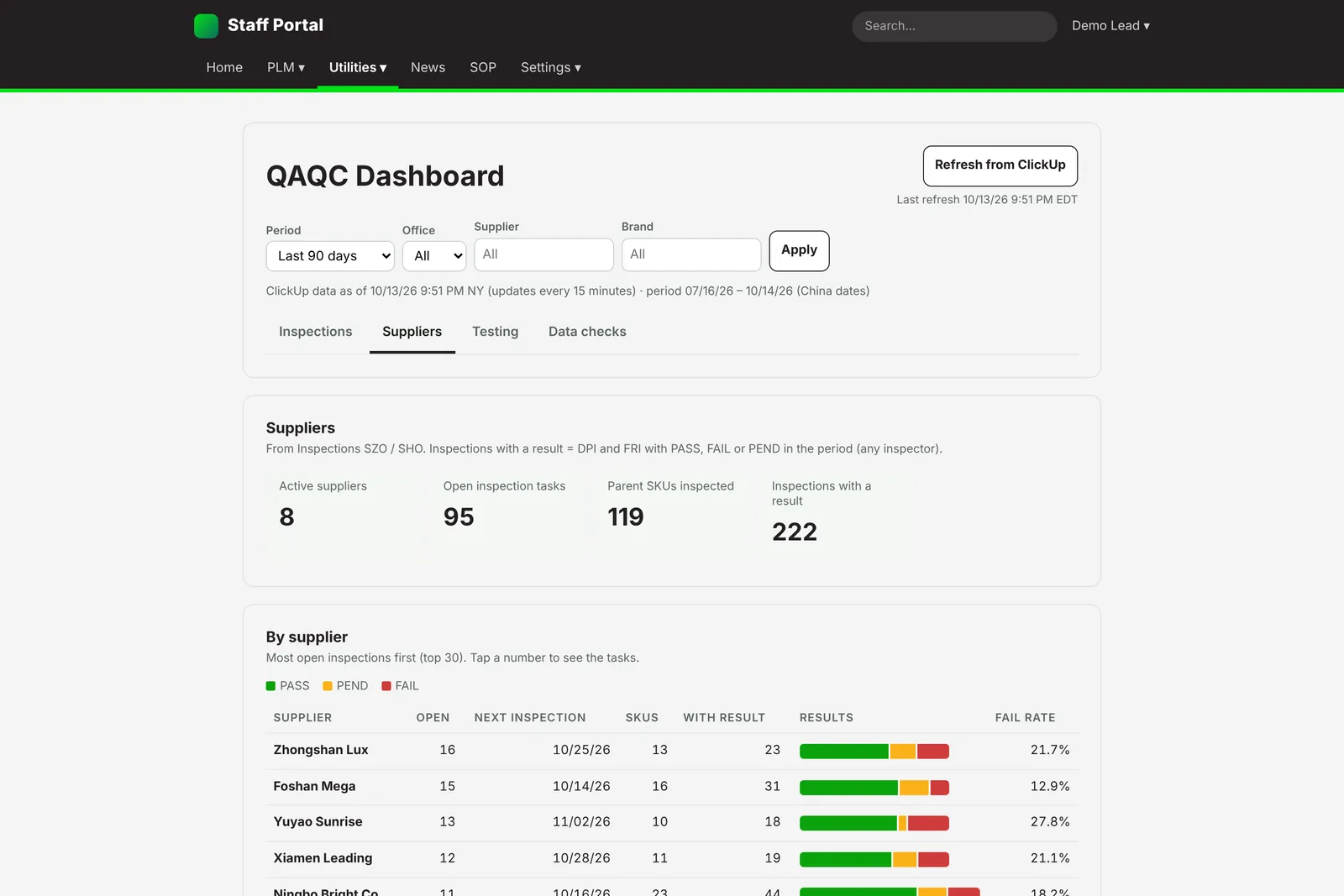
On the same foundation as the supplier portal I built a staff portal with permission levels (Owner → portal admin → department lead → staff) and per-division save limits. It brings together a landed-cost calculator that works out duty, freight and margin and saves the result to ClickUp, buyer catalogs with per-trade-show QR codes and view tracking, a 90-day inbound forecast refreshed three times a day, and a QA/QC dashboard.
Outcome
People no longer recalculate or hunt for the same numbers, and sales can see who opened a catalog and when. Before → after: costing moved from personal spreadsheets to one shared calculator saved in the work tool, and inbound schedules from separate reports to a screen refreshed three times a day.
My role
Designed the permission levels and per-division save limits, set the costing rules (e.g. duty basis = FOB), decided what catalogs expose, reviewed screens and onboarded staff. Implementation was done with AI (Claude).
Key features
- Staff permission levels · per-division save limits
- Landed-cost calculator (duty · freight · margin → saved to ClickUp)
- Buyer catalogs: linked to cloud originals · QR per trade show · view tracking · download control
- 90-day inbound forecast (collected automatically 3× a day)
- Meeting booking
- QA/QC dashboard and inspector metrics
- AI review of packaging artwork
- Internal news and newsletter

Let’s talk quality.
Roles, collaborations or a conversation about quality programs — all welcome.