
Mobile / Field
Inspection & Expense Web App (2026)
A field web app where local inspectors get the day's schedule each morning and upload inspection results and travel expenses from their phones.
← Previous generation: Inspection Mobile App (2022, no-code)
Challenge
The no-code inspection app built in 2022 worked well, but results lived apart from the work-management tool and travel expenses had to be gathered separately at month-end.
What I built
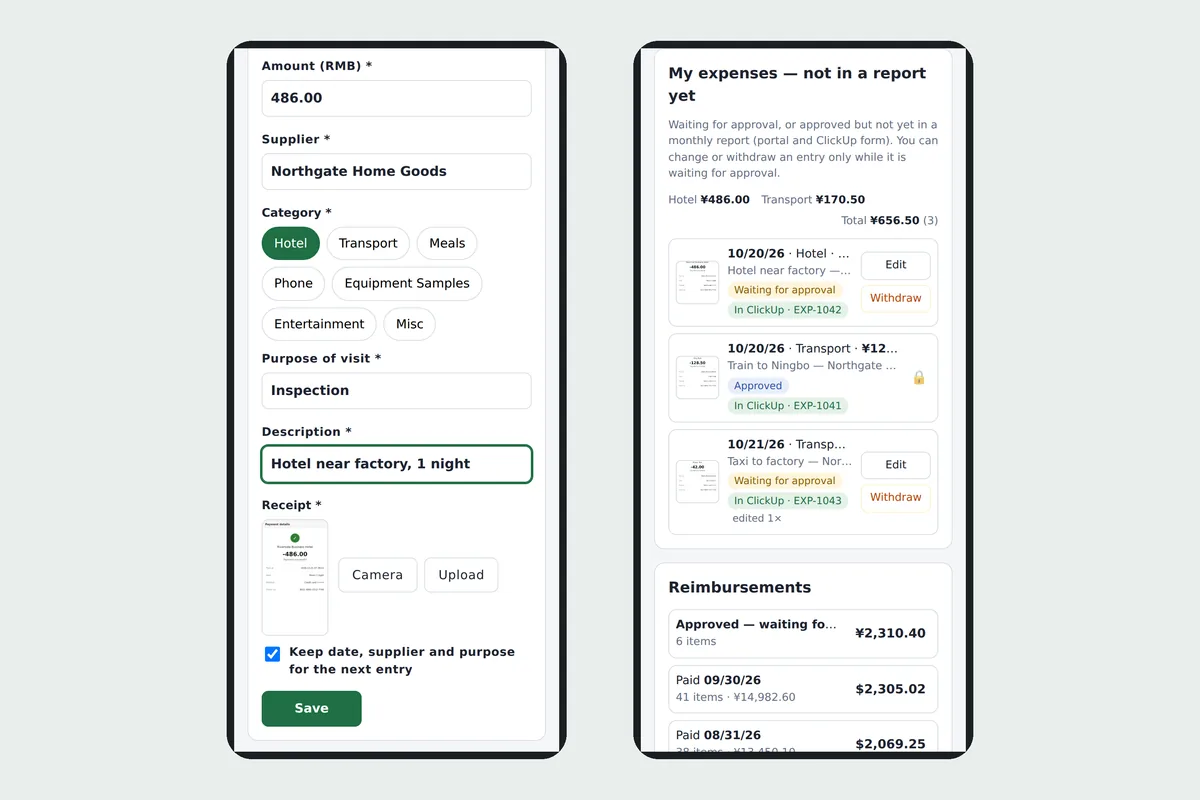
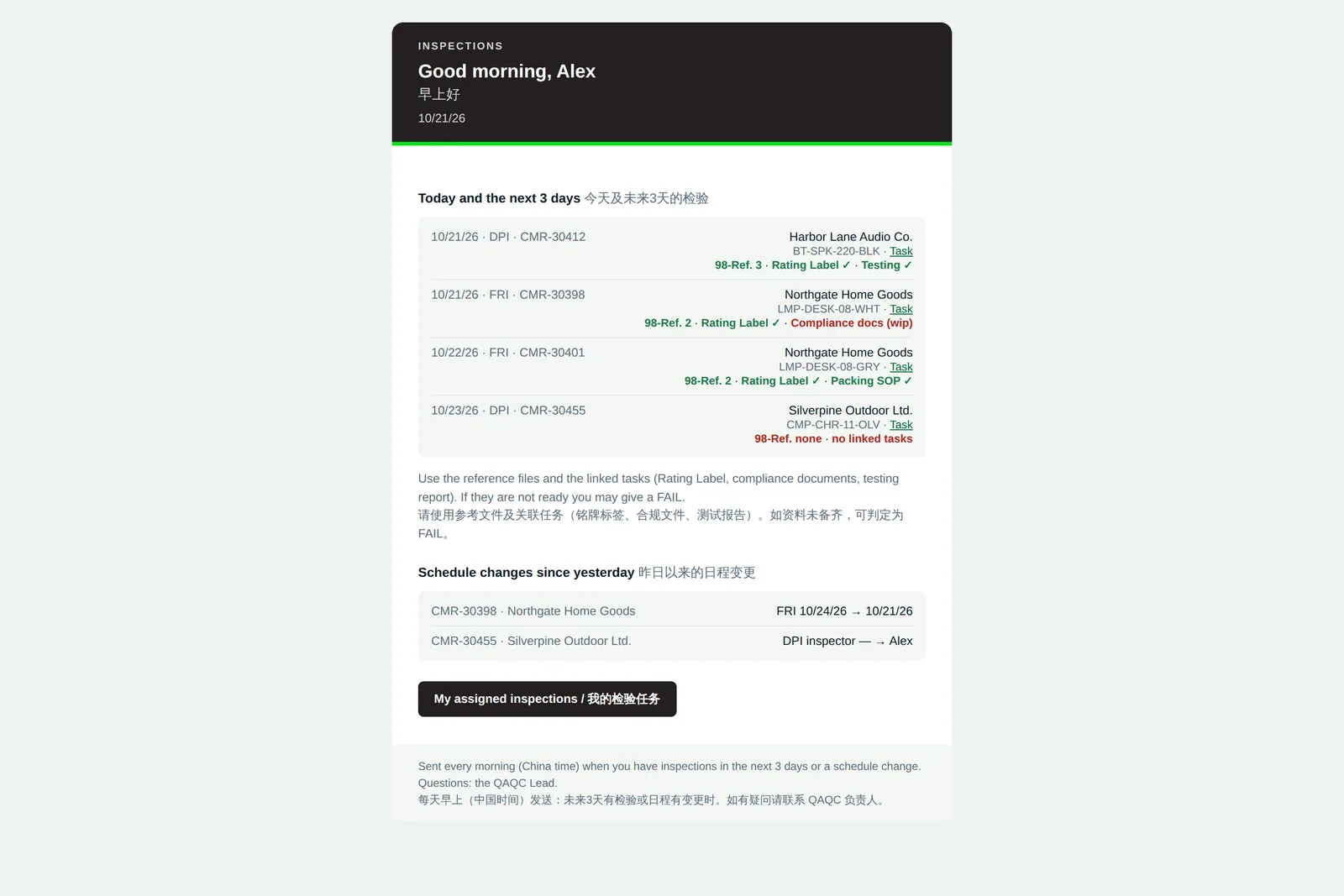
I'm moving inspections onto the portal as a web app. Inspectors receive the day's schedule by email at 8:00 local time, inspection PDFs attach themselves to the matching ClickUp task, and expenses entered in the field roll up into a monthly Excel report.
Outcome
The goal is to keep inspection records alongside production and development history (migration in progress). Before → after: travel expenses went from month-end manual collection to an automatic monthly Excel file, and inspection reports from separate emails to automatic attachment on the matching task.
My role
Decided the migration scope and order, defined inspection and expense rules, and verified in the field. Implementation was done with AI (Claude).
Key features
- Morning schedule email for inspectors (08:00 local)
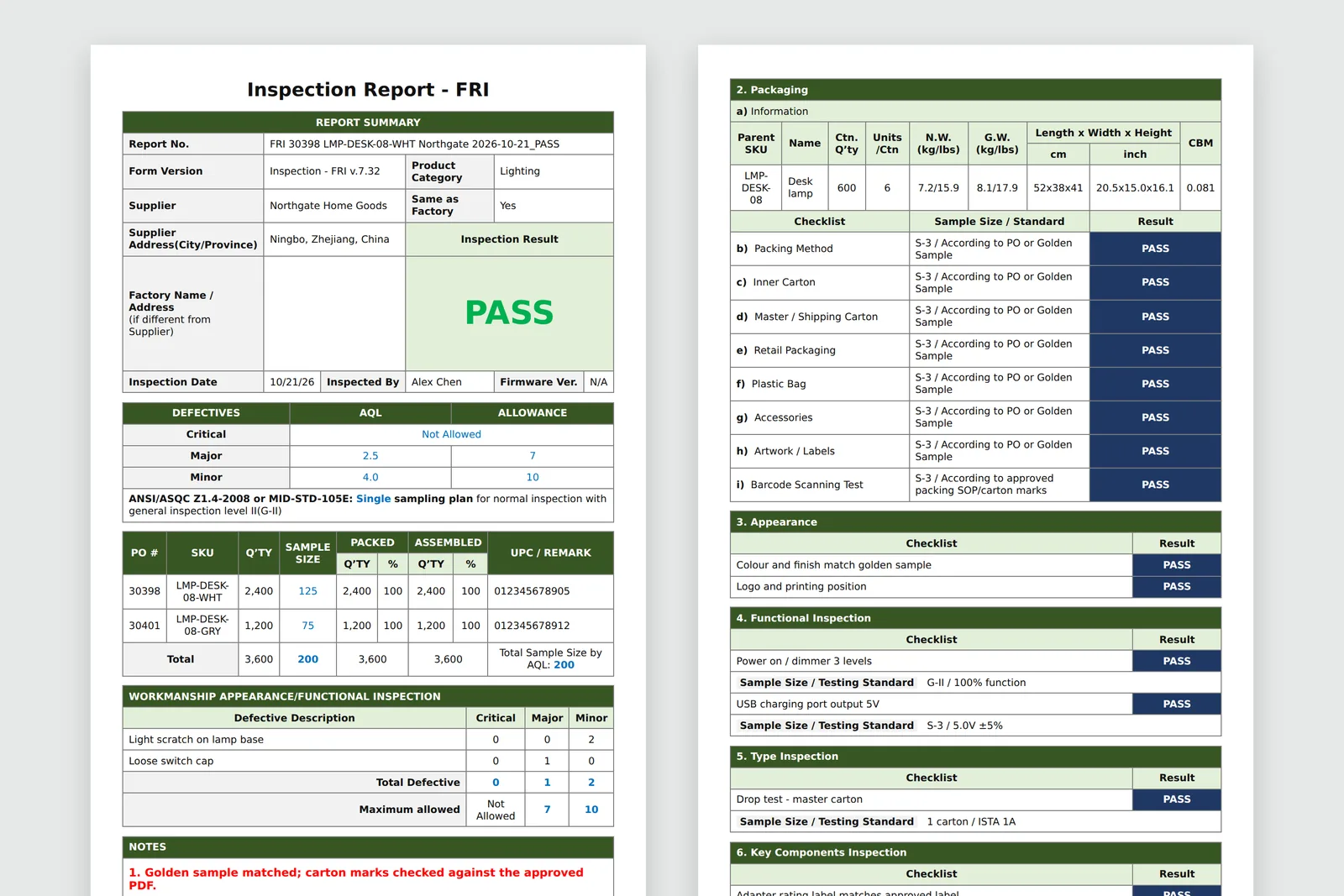
- Inspection PDF → attached to ClickUp automatically
- Inspector metrics
- Travel expense entry → monthly Excel report

Let’s talk quality.
Roles, collaborations or a conversation about quality programs — all welcome.